Artificial intelligence is already embedded in your child’s daily life. Voice assistants like Alexa and Siri, recommendation algorithms on YouTube Kids, AI chatbots used for homework help — these are present now. Common Sense Media reports that children as young as 8 interact with AI chatbots regularly, and many teenagers use ChatGPT daily for homework, creative projects, and emotional support. Yet while 72% of parents are concerned about AI’s impact on children and teens, only 17% actively seek information about these technologies (Barna Research, 2024). This guide draws on research from Harvard’s Child-Centered AI Lab, UNICEF, and Common Sense Media.
Quick Stats: 72% of parents are concerned about AI’s impact on their children, yet only 17% actively seek information about AI technologies. Barna Research, 2024
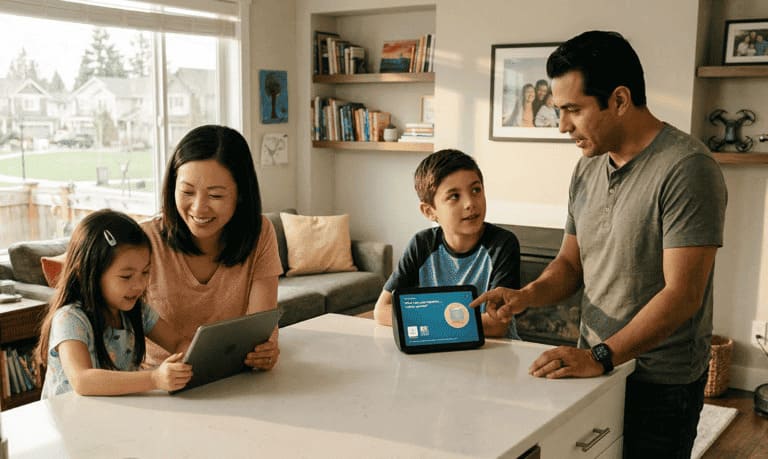
When and how to start talking to kids about AI
The right time to begin
You might be surprised: the conversation can start as early as preschool.
Dr. Ying Xu, Assistant Professor of AI in Learning and Education at Harvard University, advises parents to “follow the child’s curiosity as a natural starting point.” If your child asks about a robot vacuum, a smart speaker, or why Netflix seems to know what they like, that’s your opening.
How to explain AI to young children
Keep it simple and relatable:
For ages 3-6: “AI is like a helper inside our devices. It learns patterns and follows instructions, but it doesn’t think or feel like you do.”
For ages 7-10: “AI is a computer program that learns from lots of information. It can answer questions and do tasks, but it can make mistakes and doesn’t understand things the way people do.”
For ages 11+: “AI systems process massive amounts of data to recognize patterns and make predictions. They’re powerful tools, but they reflect the information they were trained on, including any biases or errors.”
Explore AI together
One of the most effective strategies is co-exploration:
- Type a question into ChatGPT together and examine the response.
- Discuss: which parts seem helpful? What might be wrong or confusing?
- Ask critical questions: “How do you think the AI came up with that answer?”
- Compare AI responses with trusted sources like books or experts.
This turns AI from an opaque system into something your child can examine and question.
Is ChatGPT safe for children? What parents must know
Age requirements and official guidelines
| Platform | Minimum Age | Parental Consent Required |
|---|---|---|
| ChatGPT (OpenAI) | 13 years | Yes, if under 18 |
| Google Gemini | 13 years | Yes, if under 18 |
| Microsoft Copilot | 13 years | Yes, if under 18 |
Under the Children’s Online Privacy Protection Act (COPPA), collecting personal information from children under 13 without parental consent is illegal in the United States.
Key safety concerns for parents
Inaccurate information: ChatGPT can confidently present false information. Children may not have the critical thinking skills to verify what they read.
No source attribution: Unlike a library book or educational website, AI chatbots don’t cite their sources. This makes fact-checking difficult and can normalize accepting information without verification.
Data collection: AI tools collect user data to improve their systems. This information may be shared with third parties, raising privacy concerns for children.
Inappropriate content: While AI companies implement safety filters, determined users can sometimes bypass them, potentially exposing children to harmful content.
The expert recommendation
Common Sense Media’s guidance is clear: “If kids are interested in using ChatGPT, the best option is to use it alongside an adult.”
Think of it like teaching your child to swim. You wouldn’t put them in the deep end alone. AI tools require the same supervised introduction and gradual independence.
AI and learning: benefits and risks for kids
The benefits of AI for children’s education
Used carefully, AI has real benefits:
- Personalized learning: AI can adapt to your child’s pace and learning style.
- On-demand explanations: Concepts can be explained multiple ways until they click.
- Accessible tutoring: 24/7 help when parents or teachers aren’t available.
- Creative exploration: AI can support writing, art, and music projects.
Some children learn certain concepts as effectively from AI as from human instructors, according to early research on AI-assisted tutoring.
The risks every parent should understand
Over-reliance: When children turn to AI for every answer, they skip the productive struggle that builds real comprehension and problem-solving ability.
Diminished critical thinking: A report from the Brookings Institution warns that AI poses risks to children’s cognitive development when it replaces rather than supplements learning.
Academic integrity issues: Many schools are still developing policies around AI use. Children need to understand that using AI to complete assignments without disclosure may constitute plagiarism.
Reduced human connection: In one survey, half of students reported feeling less connected to teachers when AI was heavily integrated into classrooms.
Finding the balance
The goal is to teach children to use AI as a tool. Use AI to check work, not do work. Require children to attempt problems before consulting AI, discuss AI responses together to build critical evaluation skills and cultivating curiosity through exploratory learning setting clear expectations about when AI use is appropriate.
How to protect your child’s privacy when using AI
What information is at risk
AI tools collect: conversation histories, queries, personal details shared in chats, behavioral patterns, location data (in some apps), and voice recordings.
Practical privacy protection steps
Review privacy settings together. Make it a learning experience. Show your child how to access privacy settings in AI apps, understand what data is being collected, opt out of data collection where possible, and delete conversation histories regularly.
For a full checklist, see our Online Privacy Guide for Children
Establish clear boundaries. Create a family rule about what information is never shared with AI: full name, address, phone number, school name or location, photos of faces, information about family members, passwords or financial information, and emotional struggles (direct them to trusted humans instead).
Use kid-friendly AI alternatives. Several platforms are designed with children’s privacy in mind. Schools often maintain approved lists of AI tools, and Common Sense Media rates AI apps for safety. Look for tools compliant with COPPA and educational privacy standards.
Warning signs of unhealthy AI use in children
Red flags to watch for
Excessive use: spending hours chatting with AI daily, becoming distressed when asked to stop, or choosing AI interaction over real-world activities.
Behavioral changes: increased secrecy about AI use, rising anxiety or mood changes, preferring AI conversations to family or friends, or using AI as primary emotional support.
Displacement of healthy activities: AI use crowding out sleep, declining academic performance, withdrawal from friends and hobbies, or reduced physical activity.
How to address concerns
Start with curiosity, not criticism:
- “I noticed you’ve been using ChatGPT a lot. What do you like about it?”
- “Is there anything about talking to AI that feels easier than talking to people?”
- “What would you think about setting some boundaries together?”
Then establish collaborative solutions: agree on daily time limits, schedule regular check-ins to discuss AI use, create tech-free zones and times (meals, bedtime), and keep AI from displacing face-to-face time.
Practical strategies for raising kids in the AI era
Become a co-learner. You don’t need to be an AI expert. Explore these tools alongside your children. Your questions and critical thinking model the approach they should take.
Build critical thinking above all else. The most durable skill isn’t coding. It’s the ability to question and evaluate. AI produces information in volume; judgment is what makes it useful.
Prioritize human connection. AI companions agree with everything. Real relationships include conflict, repair, and sometimes hurt feelings. Make sure children have regular face-to-face contact.
Teach information verification. Make fact-checking a habit: “Let’s check if that’s accurate,” “What source would confirm this?” and “Who created this information and why?”
Discuss AI ethics. Age-appropriate conversations about AI bias and privacy help children develop a clearer picture: “AI learns from information created by humans, including our mistakes and biases” and “When we share information with AI, companies can use it in ways we might not expect.”
Set clear expectations for school. Talk with your child about academic integrity before problems arise. Understand your school’s AI policy, discuss what constitutes appropriate AI assistance, and emphasize that learning happens through effort, not shortcuts.
Model healthy tech habits. Children learn from watching you. Demonstrate putting devices away during family time, questioning information you encounter online, and balancing technology use with offline activities.
Stay connected to their digital world. Ask questions regularly: “What apps are you using lately?” “Has AI ever told you something that surprised you?” and “What do your friends think about AI?”
Focus on uniquely human skills. AI processes information. It doesn’t replace empathy, physical craftsmanship, or the kind of ethical reasoning that comes from lived experience.
Keep perspective. As UNICEF experts note: “A child’s relationships, routines, interests, and support systems matter far more than any single technology.”
Age-by-age guide to AI literacy
Ages 3-5: foundation building
- Focus: understanding that machines follow instructions
- Activities: talk about how robot vacuums, smart speakers, and video recommendations work
- Key message: “These helpers are smart, but they don’t think or feel like you do”
Ages 6-8: exploration phase
- Focus: recognizing AI in daily life
- Activities: identify AI around your home; supervised exploration of kid-friendly AI tools
- Key message: “AI is a tool that can help us, but we need to check if it’s right”
Ages 9-12: critical thinking development
- Focus: evaluating AI output and understanding limitations
- Activities: compare AI answers to trusted sources; discuss privacy and data
- Key message: “AI can make mistakes and doesn’t understand context like humans do”
Ages 13-17: responsible independence
- Focus: ethical use, academic integrity, and digital citizenship
- Activities: discuss AI in school policies; explore creative and productive uses; address AI risks like deepfakes
- Key message: “You have the power to use AI carefully, and the responsibility to use it ethically”
Frequently asked questions
Should I let my child use ChatGPT?
For children under 13, ChatGPT use should be supervised by an adult due to age requirements and safety concerns. For teens, a supervised introduction followed by gradually increasing independence is recommended. Focus on teaching responsible use rather than blanket prohibition.
What age should kids start learning about AI?
Basic AI awareness can begin in preschool through simple explanations of smart devices. More substantive conversations about AI capabilities and limitations are appropriate from ages 6-8 onward, with discussions of ethics and responsible use becoming important by middle school.
How do I protect my child from AI dangers?
Key protective steps include supervised use of AI tools (especially initially), open ongoing conversations about AI experiences, clear family rules about privacy and information sharing, teaching critical evaluation of AI-generated content, and monitoring for warning signs of unhealthy use.
Can AI help with my child’s homework?
AI can be a useful learning tool when used appropriately: for explaining concepts, checking work, or brainstorming ideas. Using AI to complete assignments constitutes academic dishonesty and deprives children of learning through effort. Discuss your school’s AI policy with your child.
Will AI make my child less creative?
If children develop their own ideas first, AI can push those ideas further. The risk is using AI to generate ideas rather than extend them.
How much AI screen time is okay?
Rather than focusing solely on time limits, consider the quality and purpose of AI use. AI used for learning is different from passive consumption. Set limits that ensure AI doesn’t displace sleep, physical activity, homework, or face-to-face relationships.

Getting started
Parenting in the AI age doesn’t require technical expertise. It requires conversation. The trust you build with your children is the only real safeguard.
Start today: open an AI tool with your child and examine a response together, or ask what AI they’ve already used at school.
Resources
UNICEF. Parenting in the AI Age - expert guidance from Harvard’s Child-Centered AI Lab.
Common Sense Media. AI Resources for Families - ratings and reviews of AI tools for families.
Common Sense Media. Activity Guide: Talking to Your Kids About AI - hands-on activities for families.
AI Literacy for Parents. ailiteracyforparents.com - dedicated resource for parental AI education.